The common shape of a job worth giving it.
Before the list, the test that saves the most money.
A local AI model is good at jobs where the answer already exists in material you own, and the cost is finding it, shaping it or repeating it. It is poor at jobs where the answer does not exist yet and has to be invented well.
That single distinction predicts most of the successes and failures we see. It also explains why the highest-value use is almost always the least exciting one, and why the demo that impresses a board rarely survives contact with a real week of work.
If a competent new starter could do the job with access to your files and a fortnight to learn where things are, a local model can probably help. If they could not, it probably cannot.
The ten.
Roughly ordered by how often they earn their keep, not by how impressive they are.
1. Finding the answer that is already in your documents
The highest-value job and the dullest. Instead of asking a colleague which document covers a thing, people ask the assistant, and it answers out of the actual files with a pointer to where it got it. This works because the information is not missing, it is unfindable. It is also the job that most rewards having the model run locally, because the folder it searches is usually the folder you are most contractually careful about.
2. Drafting repetitive documents from a template
Method statements, scope sections, inspection notes, standard letters, risk assessments. The structure is fixed, a handful of facts change, and a person who knows the job reads it before it goes anywhere. Saves hours a week, and the quality bar is easy to hold because there is a correct shape to compare against.
3. Pulling figures and dates out of PDFs into a table
Invoices, certificates, test results, specifications, delivery notes. Tedious, error-prone by hand, and well within a small model when the output is checked. The win here is not the extraction, it is that the result lands somewhere you can sort and total.
4. Triaging and routing what comes in
Reading an incoming enquiry, job sheet or report and deciding what kind of thing it is and who should see it. A model does not have to be right every time to help: it has to be right often enough that the exceptions are a short pile rather than the whole pile.
5. Summarising long documents into something people read
A forty-page report becomes a half-page note with the figures intact. Useful on one condition that is easy to get wrong: the summary has to be traceable back to the source, or it becomes a second document nobody trusts and everybody still has to check.
6. Comparing two versions and saying what changed
Revisions of a specification, a contract, a drawing schedule. People are unreliable at this and find it unpleasant, which is a good combination for handing it over, with the output read by somebody who knows what a material change looks like.
7. Classifying and filing
Sorting a shared drive, tagging photographs, putting documents where the naming convention says they should go. Unglamorous, and the thing that makes jobs one, three and six work later. Often the right first job precisely because it improves the ground for everything else.
8. Answering customer questions out of your own manuals
Grounded in your documentation rather than general knowledge, so the answers are consistent with what you actually sell and support. Out-of-hours enquiries stop queueing until morning. Needs a clear line on what it may answer directly and what it must hand to a person.
9. Preparing a first-pass reply for somebody to approve
Not sending anything. Drafting the response and putting it in front of the person whose name goes on it. The productivity gain is real and the risk is near zero, because the last step is unchanged.
10. Keeping a running log or handover note
Pulling the day’s scattered notes, files and messages into one record, on a schedule, so the handover exists without anybody writing it. The least-requested job on this list and one of the most appreciated once it is running.
The two that usually disappoint.
Both are worth naming because almost everybody tries at least one of them first.
Original strategic thinking
Asking a small local model what the business should do next produces fluent, plausible, generic text. It reads like strategy and contains no information about your situation that you did not put in the prompt. If you want a model for genuinely hard reasoning, the frontier cloud models are still meaningfully better, and the honest trade is that you would be sending the problem out of the building. That is a real choice with a real cost, but it should be made deliberately rather than discovered.
Pointing it at a document set nobody has organised
This is the one that quietly consumes projects. If the material is scattered across drives in four naming conventions with six versions of the same file, the AI project is not an AI project. It is a filing project with an AI project behind it, and the filing has to happen either way.
The good news is that the filing is cheap compared to discovering it mid-build, and job seven on the list above will help you do it. The bad news is that it is almost never in the plan.
  Before you pick a model, answer these

  1. Where does the answer live today?
       Nowhere      -> wrong job for a model
       In a person  -> write it down first
       In the files -> good candidate

  2. Who checks the output?
       Nobody       -> stop
       Named person -> proceed

  3. What happens when it is wrong?
       Reaches a customer -> add approval
       Caught internally  -> acceptable

  4. Does the data have to stay in?
       Yes -> local
       No  -> compare honestly on cost
What any of them needs to be safe.
Every job on the list becomes workable with the same three mechanics, and unworkable without them. We wrote about why in more detail in the state of local AI at the end of 2026, and the short version is this.
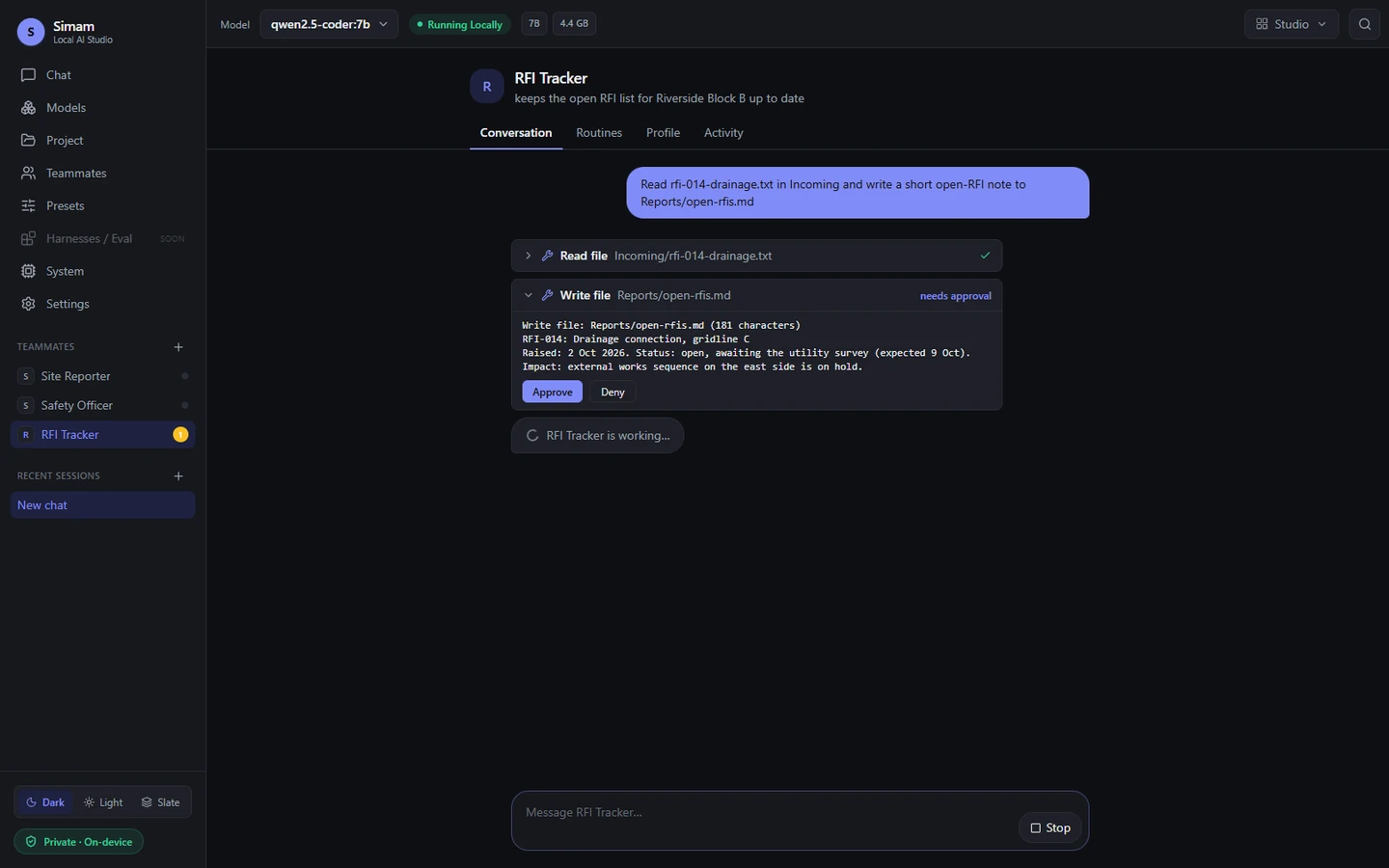
Nothing writes or runs without asking. Reading is one risk category, changing things is another, and treating them the same is how a useful tool becomes one nobody is allowed to use.
Claims get checked, not believed. When a model reports that it saved a file, something should look and see. The failure that destroys trust is not a wrong fact, it is a confident report of an action that never happened.
Everything is logged. What was asked, what was done, what was approved, what was refused. This is the difference between a tool somebody tried and a tool a business can stand behind.
Ours, declared as ours.
We build one of these, so take this section as what it is.
Simam Local LM is a Windows desktop application that does the jobs above against a folder you choose, on your own machine. No account, no telemetry, no cloud fallback. It manages its own model engine on a private local port and stops it when you close the app. It can run on a schedule or when a folder changes, not only when you open it. Writes and commands ask first and show you the full content before anything happens.
It is a beta. There is no hosted version, there is no public download, and we do not publish a current reliability score because the last one was measured against an engine we are replacing. The case study gives the test, the hardware it ran on, the five things that went wrong and what each one changed.
We are looking for a few businesses willing to point it at a real folder and tell us what happens. Tell us what folder you would point it at or email sales@simamdigital.com. If a cloud tool would serve the job better, we will tell you that instead.
What this means for a buyer.
Start with the business decision, audience, and evidence the project must produce. Simam Digital can turn that into a focused discovery, prototype, MVP, or production roadmap across AI applications, SaaS platforms, digital twins, real-time 3D, XR, and interactive systems.