The symptom that sends people the wrong way.
The report is always some version of the same thing. It renders correctly in the editor. It renders incorrectly on the headset. Turn passthrough off and it is correct again on the headset too.
That last detail is what makes the bug so misleading, because it looks like evidence that passthrough is broken. It is not. It is evidence that passthrough is the only mode in which the second half of the pipeline does anything visible.
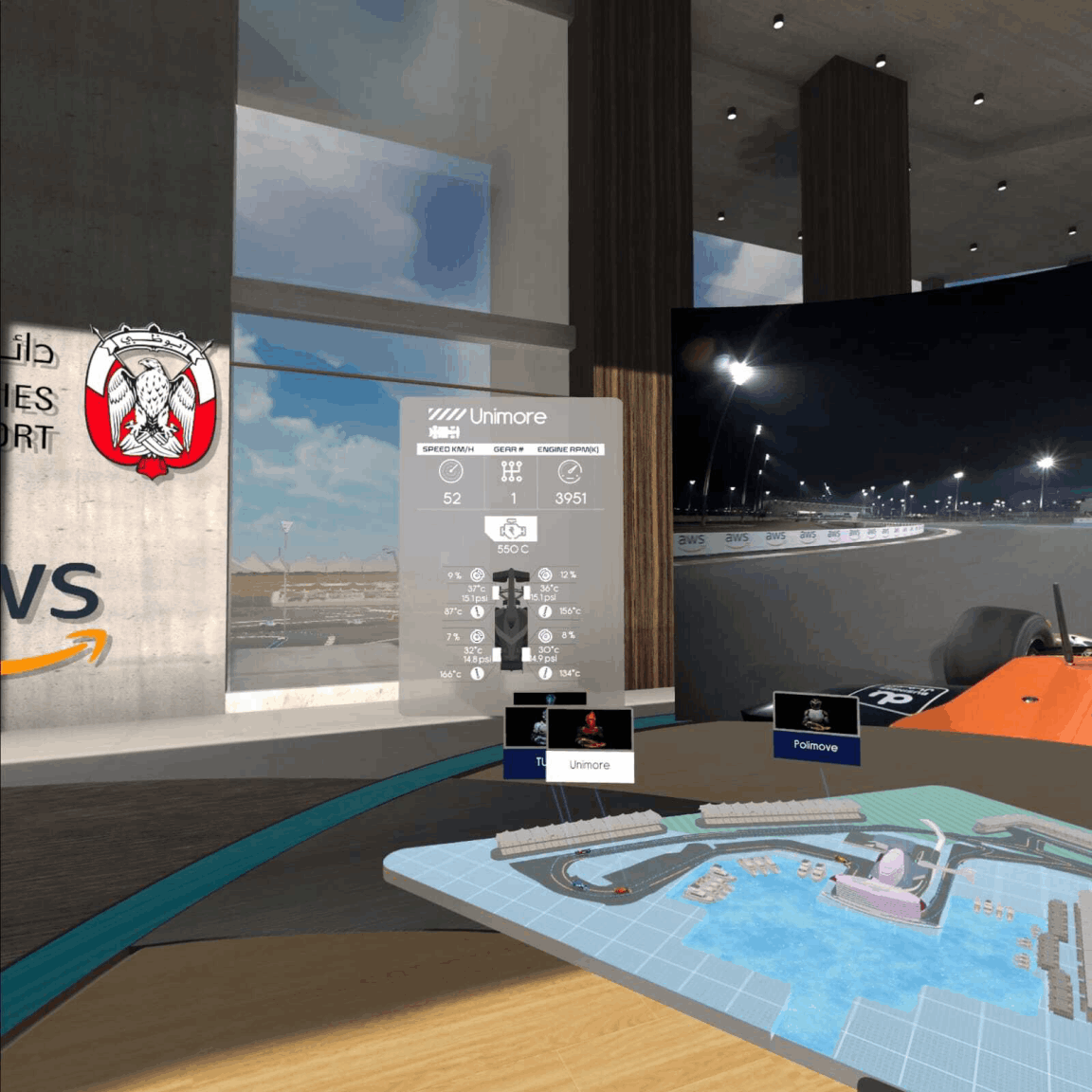
The scene in question combined most of the ways this can go wrong at once: passthrough, curved UI panels, transparent shaders, video on curved surfaces, custom materials and overlay rendering. Individually each is well understood. Together, and only on device, the sorting between them stopped matching what the editor showed.
Two render orders, not one.
The mental model most Unity developers carry is a single pipeline: opaque geometry sorted front to back, transparent geometry sorted back to front by render queue and distance, UI on top, frame presented. That model is correct, and it is complete for a normal application.
On a headset with passthrough it describes only the first stage.
  Stage 1 - Unity                Stage 2 - Compositor

  opaque geometry                passthrough layer
     sorted by depth                (camera feed)
        |                               |
  transparent queue              underlay layers
     sorted back to front               |
        |                        your eye buffer
  world-space UI                        |
        |                        overlay layers
     eye buffer  ------------->         |
                                  reprojection
                                        |
                                     display

  The editor simulates stage 1 only.
The compositor is a separate piece of software running on the device, outside your application. It takes your rendered eye buffer, the passthrough camera feed and any compositor layers you have requested, and combines them at display rate on its own terms. Unity does not sort against it and cannot see it.
So a panel can be correctly in front of a screen within your frame, and behind the passthrough feed in the composited result — and both statements are true at once. That is the whole class of bug in one sentence.
What the compositor is actually compositing.
Three inputs, and the interactions between them are where the surprises live.
The passthrough layer. Passthrough is not rendered into your scene as a background. It is composited by the system. Where it appears relative to your content depends on whether it is configured as an underlay or an overlay, and on what your frame wrote to alpha. This is why transparency behaves differently the moment passthrough is switched on: alpha now means something to a consumer outside your application, and a shader that was quietly writing whatever it liked to the alpha channel suddenly has an audience.
Compositor layers. An overlay layer is not part of your frame at all. It is handed to the compositor separately, typically because it gives sharper text and video by avoiding a resampling pass. The benefit is real. The cost is that its ordering is decided by the compositor, so it will sit in front of, or behind, your entire scene — not at a depth within it. Objects cannot interleave with it, and no amount of adjusting render queues will change that.
Your eye buffer. One flat image by the time the compositor sees it. All the careful depth sorting inside it has already been resolved and discarded.
A compositor layer is not a very high render queue. It is outside the queue entirely.
Transparent queues, depth, and curved UI.
Within stage one, the things that most often turn out to be wrong once passthrough exposes them:
- Render queue values that were approximately right. Transparent objects sort by queue first, then by distance. When everything was opaque against a skybox, an approximate ordering looked fine. Against passthrough, with alpha now meaningful, approximate stops being good enough.
- Shaders that do not write depth but are treated as though they do. Standard for transparency, and a frequent cause of two translucent panels swapping order as the viewer moves.
- Alpha written carelessly. A shader whose alpha output was irrelevant when nothing consumed it becomes a hole, or a block, in a composited result.
- Curved UI. A curved canvas is geometry, and its sort distance is computed from a single origin while the surface it represents spans a range of depths. Two curved panels that intersect in space have no correct single ordering, and the renderer picks one per frame.
- Canvas ordering versus world depth. Sorting order within a canvas and depth in the world are different mechanisms. Mixing them produces results that are stable in the editor and unstable on device.
How to debug it without guessing.
The single most useful discipline is to stop treating this as one problem. Establish which stage is wrong before changing anything, because the fixes for the two stages are unrelated and applying the wrong one at random is how these bugs consume a week.
- Turn passthrough off on device. Not in the editor — on the headset. If the frame is correct without passthrough and wrong with it, the fault is in stage two, and every render queue change you make is wasted effort.
- Capture what your application actually rendered. Look at the eye buffer itself, not the composited display. If the error is already present there, it is an ordinary Unity sorting problem and the editor can find it.
- Remove the compositor layers. Render the same content as normal in-scene geometry instead. If the ordering becomes correct, the layer configuration is the cause and no scene-level change will fix it.
- Isolate to two objects. Almost every one of these bugs is a pair. Strip the scene until you have the minimum pair that reproduces it, then decide which of them is wrong.
- Check what alpha is being written by every material in the frame, including ones nobody thinks of as transparent.
Steps one and three are the ones people skip, and they are the two that most reliably tell you which half of the pipeline you are in.
Rules that stopped it happening again.
Four working rules came out of it, and they have held on subsequent mixed reality work:
Test on device whenever alpha or layering changes. Not at the end of the feature — at the point of the change. The editor is a fast iteration tool for stage one and gives no information at all about stage two, so an editor-only workflow accumulates a backlog of bugs that all surface on the same afternoon.
Use compositor layers deliberately and sparingly. They genuinely improve text and video sharpness. Use them for content that sits clearly in front of or behind everything else, and never for content that needs to interleave with the scene.
Assign render queues explicitly, and write them down. An ordering nobody chose is an ordering nobody can reason about. A short table of which queue each material class occupies pays for itself the first time somebody adds a panel.
Treat passthrough as a mode, not a toggle. If the application runs in both VR and MR, they are two configurations with different sorting behaviour, and both need testing. A change verified in one is not verified in the other.
None of this is exotic. It is the ordinary consequence of a rendering model with a stage in it that your engine does not own, and of an editor that is honest about the stage it can simulate and silent about the one it cannot.
What this means for a buyer.
Start with the business decision, audience, and evidence the project must produce. Simam Digital can turn that into a focused discovery, prototype, MVP, or production roadmap across AI applications, SaaS platforms, digital twins, real-time 3D, XR, and interactive systems.