There are three architectures now, not two.
Almost every WebXR-versus-native comparison assumes a binary: render on the device through a browser, or render on the device through an installed application. That framing is a year out of date.
The three real options are:
| Architecture | Where rendering happens | How it reaches a user |
|---|---|---|
| WebXR | On the headset or phone, in the browser | A URL |
| Native XR | On the headset, in an installed app | A store listing, a managed device deployment, or sideloading |
| Remote rendering | On a server GPU, somewhere else | A URL or a thin client, streaming video |
The third one is not theoretical. NVIDIA’s CloudXR 6 ships CloudXR.js, a JavaScript framework that streams a GPU-rendered OpenXR application into a browser on Meta Quest, Pico and the desktop — announced at GTC on 31 March 2026. So remote rendering now arrives through the same distribution channel as WebXR: a link.
That matters for a cost comparison, because it breaks the assumption that fidelity and reach are opposites. They used to be. They are not any more, and the price of decoupling them is now a line item you can actually calculate.
Build cost is the number people compare and the smallest one that matters.
Ask for a quote and you get a build cost. It is concrete, it fits on a page, and it is the wrong thing to optimise, because it is paid once and everything else is paid forever.
Across an enterprise XR programme the money lands in five places, and only the first is what a quote usually covers.
- Build. Engineering the experience. Paid once, roughly comparable between web and native for the same scope.
- Content. 3D assets, capture, optimisation, copy, voiceover, localisation. Frequently larger than the build, and identical whichever architecture you pick — which is why it rarely appears in the comparison and always appears in the invoice.
- Distribution. Getting it in front of people. This is where the architectures diverge hardest.
- Change. Every fix, every content update, every new product variant, for as long as the thing is alive.
- Support. Devices, enrolment, charging, breakage, the helpdesk calls, and the person who owns all of it.
Two proposals with the same build cost can differ by an order of magnitude over three years, and nothing in either document will tell you that.
Compare architectures on items three, four and five. Item one is close enough to a wash that treating it as the deciding factor is how organisations end up with an expensive thing nobody can update.
What WebXR is genuinely cheaper at.
Four things, and they are all recurring costs rather than one-off ones.
One build instead of a matrix. A native programme that has to reach Quest, Pico, a desktop and a phone is several builds, several submission processes and several regression passes. A WebXR build is one artefact that degrades to a flat 3D view where immersive mode is unavailable. The saving is not the second build — it is the second build, forever, every time anything changes.
No store, no review, no enrolment. Store review is not just a delay; it is a governance process, an organisational account, a compliance review and someone’s job. Managed device deployment across a fleet is worse. A link has none of that. For anything a client, a regulator or a board member has to see, this is usually the whole argument.
Updates are a deploy. Publishing a fix to a native app and knowing every user has it are two different problems. On the web they are the same problem, and it is already solved. If your content changes monthly — product variants, site progress, course modules — this dominates everything else in the comparison.
Reach without a headset. Most people who open an XR link will never put on a headset, because Safari on the desktop and Firefox ship WebXR switched off and Safari on iPhone does not support it at all. On the web those people still get the product. In a native programme they get nothing, and you find yourself commissioning a second, flat version for the majority audience — which is a second build you did not budget for.
What native still wins, honestly.
The web has not swallowed everything, and pretending otherwise gets projects cancelled at the pilot stage.
Heavy local rendering. A browser build ships a library and your assets; there is a ceiling on what a mobile chipset will render inside a browser tab, and a large CAD or BIM model is well above it. If the content cannot be reduced without destroying its purpose, on-device web rendering is the wrong tool.
Offline operation. A factory floor, a vessel, a tunnel, a remote site. If connectivity is unreliable and the experience must still run, that is a native app on a device, and no amount of caching makes it not so.
Hardware APIs the browser does not expose. Specific tracking modes, certain body or face tracking, some enterprise device management hooks. The browser surface is deliberately conservative for privacy reasons and it always will be.
Long, seated, high-intensity sessions. Sustained simulation work with heavy physics and complex state is still more comfortable to build and to run natively. Our own driver assessment and safety training work sits in this category, and putting it in a browser tab would have been an ideological decision rather than an engineering one.
An existing Unity codebase with real value in it. Rewriting working content to change its delivery mechanism is a cost, not a saving. Sometimes it is still worth it, but it should be argued for rather than assumed.
The third option: when neither answer is right.
Here is the scenario that breaks the binary, and it is extremely common in industrial work.
You already own an enormous asset — a CAD assembly, a BIM federation, an Omniverse or Unreal environment — built for accuracy rather than for frame rate. Someone asks to see it on a Quest. The traditional answer is an optimisation programme: reduce meshes, bake lighting, rebuild materials, author LODs, and accept a version that is visibly not the thing the engineers signed off.
Remote rendering inverts the problem. The application runs unmodified on an RTX server; the headset receives an encoded video stream and sends back tracking data. NVIDIA positions CloudXR for exactly this — digital twins, design review and photorealistic full-scale prototypes on untethered devices — and CloudXR.js means the client is a web page rather than an installed app.
The cost profile is completely different, and you need to see it clearly before choosing it. WebXR and native both cost engineering up front and near-nothing per session. Remote rendering costs less engineering up front and a GPU for every concurrent viewer, for the whole session. As a reference point, an AWS g6e.xlarge — a single NVIDIA L40S with 48GB — lists at $1.861 per hour on demand in us-east-1. That is a real, recurring, per-seat number, and it does not go down as your project matures.
It also inherits a hard dependency: NVIDIA’s own guidance for the browser client is a Wi-Fi 6 or 6E network with under 20ms latency and 100+ Mbps of bandwidth. On a controlled corporate network that is achievable. On a client’s guest Wi-Fi at a trade show, it is a gamble.
A decision table you can take to a meeting.
Read down the left column. Whichever row describes your actual constraint decides the architecture, and the rest is detail.
| If the binding constraint is… | Build it as |
|---|---|
| Getting it in front of many people quickly, with no install | WebXR |
| Frequent content change after launch | WebXR |
| Stakeholders on mixed devices, most without headsets | WebXR |
| Proving the idea is worth funding at all | WebXR |
| Offline operation in the field | Native |
| Deep hardware access or specialised tracking | Native |
| Long, heavy, physics-driven simulation sessions | Native |
| A large existing Unity project with real content value | Native, or a considered migration |
| Full-fidelity CAD or BIM that cannot be reduced | Remote rendering |
| Native-grade visuals on untethered clients, small controlled audience | Remote rendering |
| Native-grade visuals for hundreds of concurrent users | Remote rendering, if you have modelled the GPU bill honestly |
The awkward middle case is a large model and a large audience. There is no architecture that makes that cheap. What usually resolves it is realising the audience does not need the full model — they need a specific decision supported, and the asset that supports it is much smaller than the master file.
What we have actually seen building both.
We build both, which is the only reason this comparison is worth reading rather than a pitch.
On the native side: VR safety training, a desktop driver assessment simulation, and live racing VR streaming. Those were the right call, and a browser would have made each one worse.
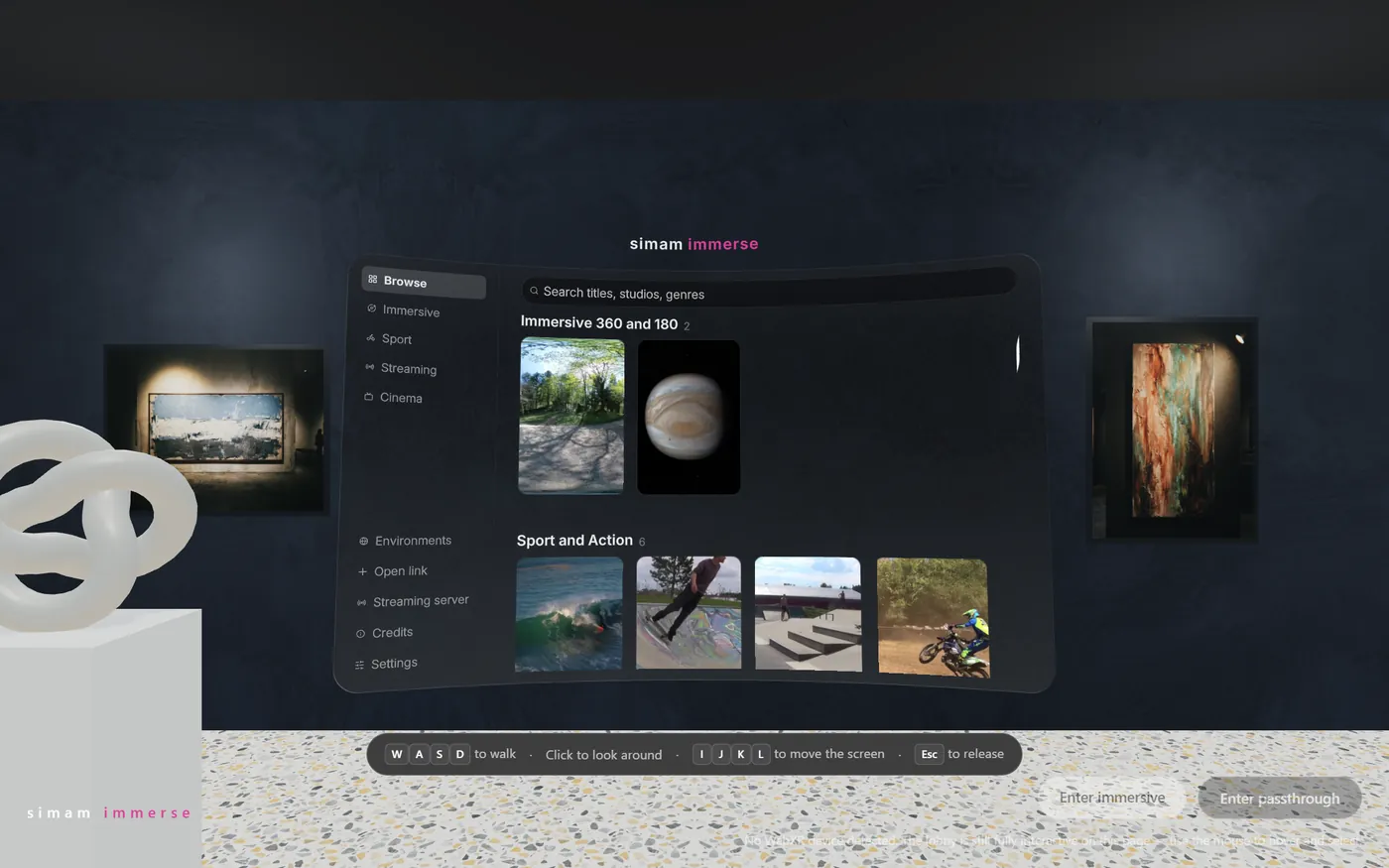
On the web side: Simam Immerse, a headset-grade immersive media player that arrives as a link, and a playground of twenty-six browser experiences covering product configuration, Gaussian-splat capture, physics, spatial audio and volumetric video — all opening without an install.
Two patterns show up repeatedly.
The distribution constraint decides more projects than the fidelity constraint. The question that ends the debate is almost never “can the browser render this”. It is “how does the person who needs to see this actually get to it”, and once someone says the words procurement or guest device, the answer is a URL.
The flat view is the product for most of the audience. Teams design the headset experience and treat the desktop view as a fallback, then discover that ninety-odd percent of sessions never enter immersive mode. Design the flat view first. It is also the cheapest way to find out whether the idea works at all.
What this means for a buyer.
Start with the business decision, audience, and evidence the project must produce. Simam Digital can turn that into a focused discovery, prototype, MVP, or production roadmap across AI applications, SaaS platforms, digital twins, real-time 3D, XR, and interactive systems.