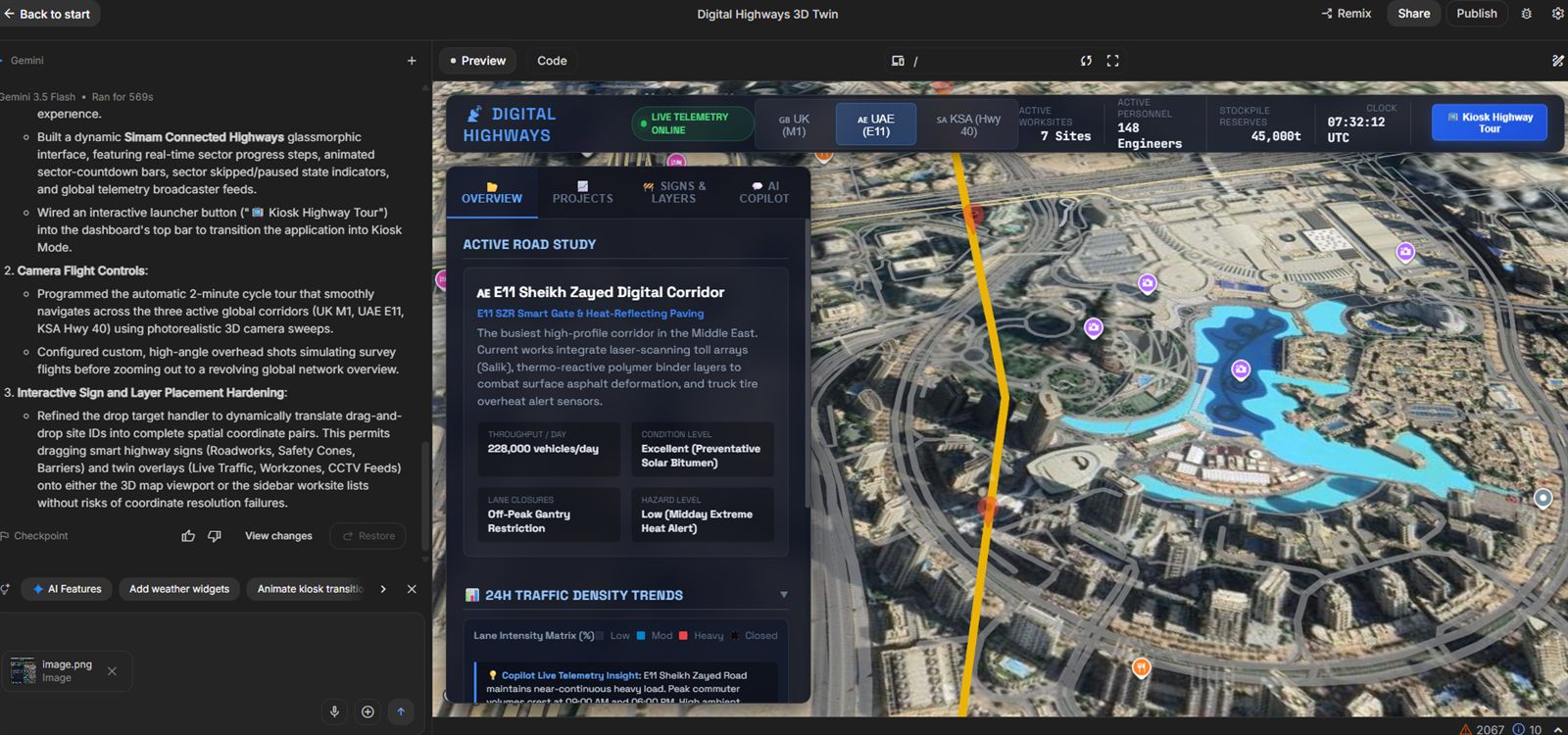
Why many digital twin projects become too broad.
“Digital twin” can describe anything from a 3D model with live data to a full operational platform. That flexibility is useful, but it also encourages teams to start with technology and data collection before agreeing what decision the product must improve.
A better brief names the user, the moment, and the action: a project manager reviewing access constraints before a possession; an operator finding assets affected by an alert; a property team comparing occupancy and maintenance priorities; or a stakeholder understanding a proposed change without reading a technical pack.
Six high-value use cases.
Construction planning and progress review
Combine the site, programme, work packages, imagery, risks, and milestones in one spatial view. The twin becomes a coordination surface for meetings rather than a separate visualisation nobody opens.
Infrastructure asset and incident visibility
Place assets, inspections, incidents, closures, and contextual layers on a map or 3D corridor. Connected Highways-style prototypes show why location and status belong together.
Property and facilities operations
Help teams find spaces, equipment, maintenance history, energy information, and outstanding work. Start with the decisions that currently require several systems or phone calls.
Scenario and option comparison
Make proposed layouts, phasing, access routes, or operational states comparable. This is valuable before a full integration programme because teams can test what information changes a decision.
Training and familiarisation
Use the environment as context for guided procedures, inductions, hazard recognition, and remote familiarisation. The model is then serving a learning outcome, not merely displaying geometry.
Stakeholder communication
Turn technical information into an explorable narrative with guided viewpoints, annotations, and simple controls. This reduces the translation burden between specialist and non-specialist teams.
A practical architecture.
The visible 3D world is only one layer. A useful twin normally combines a spatial base, asset identity, operational state, documents or media, workflow actions, and role-based access. Data can arrive from APIs, files, sensors, or initially mocked datasets while the product logic is validated.
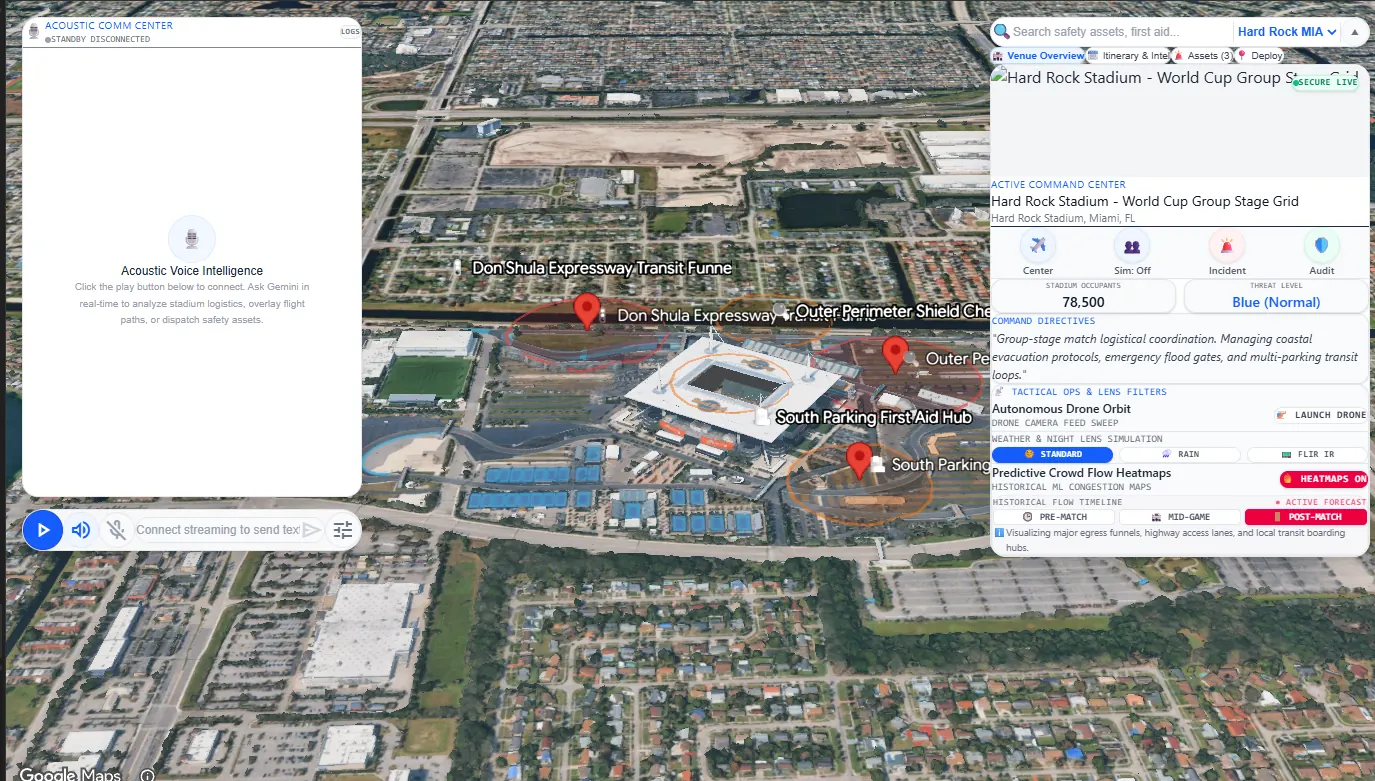
Google's Photorealistic 3D Tiles documentation describes the underlying 3D map layer as a way to understand areas, evaluate places, and monitor real-world change. The product still needs the organisation's own overlays, permissions, workflow, and interface around that base.
Prototype the decision, then scale the data.
A first prototype can use a limited geography, representative assets, and a small number of workflows. That is enough to test navigation, information hierarchy, stakeholder comprehension, and the value of integration. Production work then has a clearer roadmap: which feeds must be live, which roles need access, and which actions need auditability.
What this means for a buyer.
Start with the business decision, audience, and evidence the project must produce. Simam Digital can turn that into a focused discovery, prototype, MVP, or production roadmap across AI applications, SaaS platforms, digital twins, real-time 3D, XR, and interactive systems.